
Intellecto Kids Learning Games
IntellectoKids LtdEducational
4.1369.00 Reviews
- Version
- 4.75.0
- Installs
- 1.00M
- Age Rating
- Everyone
Screenshots




Our Review of Intellecto Kids Learning Games
 Analysis by Appyee
Ever stumbled upon an app that seems to magically combine fun and learning for your little ones? Well, that’s exactly what Intellecto Kids Learning Games does! As a parent who’s always on the lookout for educational yet entertaining apps, I couldn’t resist diving into what this app has to offer. Spoiler: I was not disappointed.
Making a Short Play Session Count
I find this game most useful when I treat it as a small part of the day rather than a substitute for teaching or conversation. A child can try an activity, get a feel for a puzzle or a letter task, and then move on before attention runs out. That makes it a practical option for a quiet stretch at home, a brief wait, or a calm transition between activities. I would sit nearby at first, not to steer every answer, but to see which kinds of challenges feel inviting and which cause frustration.
A realistic routine might be to offer one short session after breakfast or while dinner is being prepared, then ask the child to explain one thing they enjoyed. That simple follow-up helps turn tapping into a chance to talk about numbers, sounds, or choices. I wouldn’t make the game a reward for finishing every task; the better approach is to keep the mood relaxed and stop when the child is ready. The app is aimed at young learners, but children still differ widely in patience and familiarity with touchscreens.
For a caregiver deciding whether it fits, the key question is not whether it covers every school subject. It is whether a child is curious about the kinds of early-learning activities it presents and can use them comfortably with a little guidance. If your child prefers open-ended play, physical toys, or lessons built around a particular school curriculum, this may work best as a supplement rather than the main activity.
First Impressions Matter
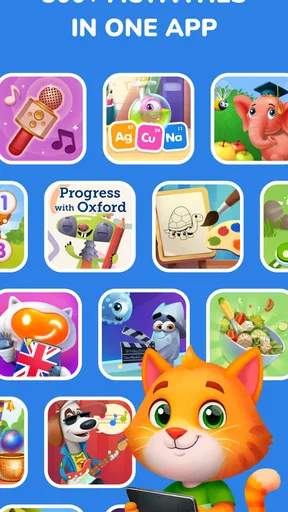
The first thing that caught my eye when I opened the app was its vibrant and engaging interface. It’s colorful, intuitive, and feels like a playful invitation to explore. The characters are adorable, and I could already imagine my kids getting hooked. The navigation is super friendly, allowing even the youngest users to find their way around without a hitch. I have to give it to the developers for creating a space that’s not only visually appealing but also incredibly user-friendly.
A World of Learning at Your Fingertips
What really sets Intellecto Kids Learning Games apart is the variety of educational content it offers. Whether your child is a budding mathematician or a little wordsmith, there’s something for everyone. The app covers a range of subjects like math, language, and science, making it a comprehensive learning tool.
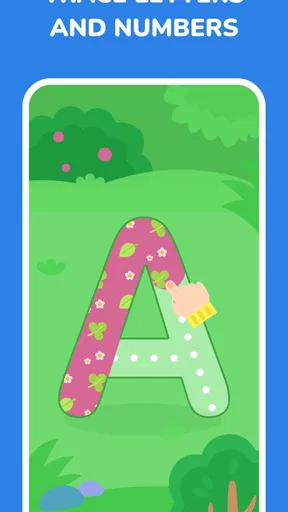
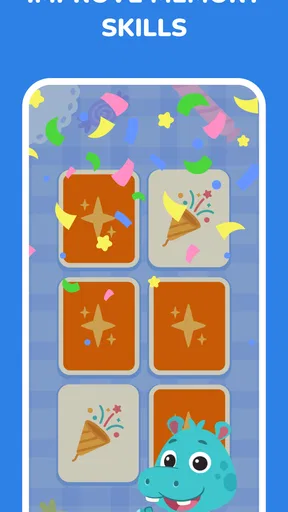
Each game is designed to enhance specific skills. For instance, there are puzzles that improve problem-solving abilities, language games that expand vocabulary, and math challenges that make numbers fun. I found this multi-disciplinary approach refreshing, as it keeps children engaged and eager to learn more.
Learning Through Play
One of the things I love about this app is how seamlessly it integrates learning with play. The activities are cleverly disguised as games, which means kids are learning without even realizing it. It’s a win-win! My kids were particularly fond of the interactive stories that not only entertained them but also taught valuable lessons.
What’s more, the app regularly updates its content, ensuring that there’s always something new to discover. This keeps the little ones coming back for more and prevents the dreaded "I’m bored" syndrome.
Finding a Repeatable Rhythm
For a smoother routine, I’d let the child choose an activity from the available options and stay with that choice long enough to understand the basic pattern. Switching between numbers, letters, and puzzles can be appealing, but a young learner may benefit more from a few focused attempts than from hurriedly sampling everything. If a task feels difficult, I’d pause and offer a hint in ordinary language instead of taking over the screen. That keeps the child involved while making the session feel shared rather than tested.
It can also help to notice what kind of support the child needs. Some children want to try independently; others look to an adult for reassurance after every choice. I would gradually step back when the child is comfortable, then check in at the end rather than interrupting each activity. This is a practical way to keep screen time from becoming a constant stream of adult prompts, while still giving a younger child help when navigation or a question is confusing.
Compared with a single-purpose alphabet or counting app, the range here gives families more variety in one place. The trade-off is that a broad collection may not offer the depth or carefully sequenced progression that a dedicated phonics program or a structured math course can provide. If you have a specific learning goal—such as practicing a particular sound or following classroom material—I’d pair this game with a targeted activity instead of expecting the general mix to cover that need on its own.
Settings, Access, and What to Check
Before handing a device to a child, I’d take a moment to explore the app together and see how its activities are presented. A parent can judge whether the available choices suit the child’s current confidence and whether the child can move between them without getting lost. That first look is useful even when an interface seems simple: young children may tap quickly, misunderstand an icon, or ask for help at a point an adult would consider obvious.
It is also worth checking the purchase experience before a child plays independently. The game is free to download, while in-app purchases range from $0.99 to $149.99 per item, so I’d review the device’s purchase protections and explain that buying something requires an adult. That is a sensible step for any family sharing a phone or tablet, particularly when a child is allowed to explore without constant supervision. The game is rated Everyone, but an age rating does not tell you whether every activity is a good match for an individual child’s reading, attention, or motor skills.
IntellectoKids Ltd develops the game, which is listed as an educational title. It has a 4.0 average from around 8.3 thousand ratings, with over 1 million installs and 383 written reviews. Those figures suggest that many families have tried it, but they do not tell me whether a particular child will enjoy its style. I’d use them as background context, then let the child’s response and the fit of the activities guide the decision.
Parental Controls and Feedback
As a parent, I really appreciate the app’s parental controls. It’s important to know what my kids are up to, and the app makes it easy to monitor their progress. There’s a handy dashboard that provides insights into what skills they’re developing and how they’re performing in each activity.
The feedback system is fantastic! After each game, kids receive positive reinforcement, which encourages them to keep pushing their boundaries. It’s all about building confidence and fostering a love for learning.
Where the Broad Approach Has Limits
While the variety is useful for keeping a child interested, it can make it harder for a parent to identify a single, clear learning path. I would not assume that moving through activities automatically means a child has mastered a skill; a correct response in a playful moment is not the same as being able to use that idea elsewhere. A quick conversation or an offline activity—counting objects on the table, for example—can show whether the idea has stuck without turning the game into a formal lesson.
This is also not the best fit for every household. A child who becomes upset when a game feels challenging may need a slower, more adult-led approach. Families seeking a quiet, text-heavy learning tool or a tightly organized curriculum may prefer a different kind of resource. And if the device itself loads apps slowly, even an otherwise appealing game can make a short play window feel less smooth.
Room for Improvement
While Intellecto Kids Learning Games is a fantastic app, there’s always room for improvement. One thing I noticed is that some of the more advanced games might be a bit challenging for younger kids. It would be great if the app could offer even more tailored experiences based on age or skill level.
Additionally, while the app is mostly smooth sailing, there were a couple of times when it took a bit longer to load. Not a deal-breaker, but something to keep in mind if your device is on the older side.
The game is free, but that does not mean every part of the experience is necessarily included without a purchase; the listed in-app purchase range makes it sensible to check what a child can access before settling into a routine. Its current version is 4.70.1, and it requires Android 7.0 or later. For families using an older Android device, checking compatibility before planning around the game can save frustration. I’d also keep expectations modest about what any version number can guarantee: the practical test is whether it runs comfortably on the device you intend to use.
Conclusion: A Must-Have Learning Companion
All in all, Intellecto Kids Learning Games is an app I wholeheartedly recommend to parents seeking an educational yet entertaining experience for their children. It’s engaging, comprehensive, and most importantly, it makes learning fun.
So, if you’re ready to turn screen time into a productive and joyful experience, give this app a whirl. It might just become your child’s new favorite way to learn!
My recommendation comes with a simple qualification: use it as a playful starting point, not as proof that a child has learned a topic or as a replacement for reading, conversation, and hands-on practice. It is strongest when an adult helps choose an activity, notices when the child is ready to stop, and connects an idea from the screen to something in everyday life. With that approach, the mix of early-learning games can make a short stretch of screen time feel purposeful without demanding that every session become a lesson.
Verdict
Strengths of Intellecto Kids Learning Games
- Engaging educational content for children.
- User-friendly interface for young learners.
- Regular updates with new games and features.
- Supports multiple languages for global use.
- Parental controls for safe usage.
Limitations of Intellecto Kids Learning Games
- Some features require a subscription.
- Limited offline accessibility.
- In-app ads can be distracting.
- Not all devices are supported.
- Occasional bugs in new updates.
Similar Picks in This Category
View All
Little Panda Policeman
BabyBus4.0

Monster Trucks Game for Kids 2
Raz Games4.1

Little Panda's Chinese Recipes
BabyBus4.4

Little Panda's Restaurant
BabyBus4.4

Little Panda's Ice Cream Games
BabyBus4.3

Baby Panda Care
BabyBus3.8
Frequently Asked Questions
What age group is Intellecto Kids Learning Games suitable for?
Intellecto Kids Learning Games is designed primarily for children aged 3 to 8 years old. The app features a variety of educational activities tailored to fit the developmental needs of early learners, helping them build foundational skills in math, reading, and critical thinking.
Does Intellecto Kids Learning Games require an internet connection?
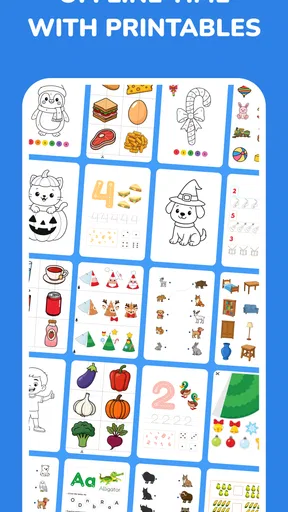
While some features of Intellecto Kids Learning Games can be accessed offline, others may require an internet connection for updates or to unlock additional content. It’s best to have a stable internet connection to fully enjoy all the interactive and updated features of the app.
Is there a subscription fee for Intellecto Kids Learning Games?
Intellecto Kids Learning Games offers a free version with limited access to content. However, a premium subscription is available, providing full access to all games and educational activities. Subscription fees vary, and options for monthly or annual plans are typically available.
Are there parental controls available in Intellecto Kids Learning Games?
Yes, Intellecto Kids Learning Games includes robust parental controls. Parents can monitor their child's progress, set playtime limits, and customize the learning experience to suit their child’s individual needs, ensuring a safe and educational environment.
What educational topics are covered in Intellecto Kids Learning Games?
The app covers a wide range of educational topics including basic math, reading, logic, and problem-solving skills. It incorporates engaging games and activities that are designed to make learning fun and interactive, keeping children engaged while they learn.
Play our best games!


